















































The 5-Minute Sensor Test: How to Diagnose a False High Temperature Alarm Without Tools
by Megawatts - Updated At 2026-04-16
Most false high temperature alarms can be checked in just a few minutes. Addressing a false alarm promptly prevents unnecessary panic and keeps your equipment running smoothly. The “5-Minute Sensor Test” offers a straightforward, tool-free way to diagnose whether an alert is genuine or just a nuisance false alarm. Stay calm—this quick check empowers you to identify common issues confidently and take appropriate action.
5-Minute Sensor Test for False High Temperature Alarm
Visual Sensor and Display Check
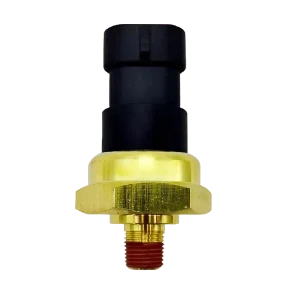
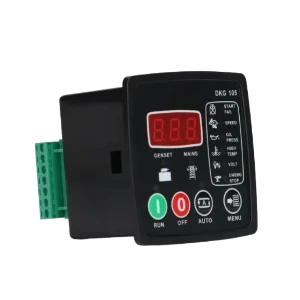
Begin by inspecting the sensor and its display. Look for any visible damage, loose connections, or signs of corrosion. A clean and intact sensor ensures accurate readings. Check the display for error codes or abnormal symbols. If the alert persists, note the exact temperature value shown. This initial step helps distinguish between a genuine high temperature event and a display malfunction. Many experienced engineers recommend confirming that the display is powered and functioning before proceeding with further diagnosis.
Assess Sensor Placement and Environment
Sensor placement plays a critical role in accurate temperature monitoring. Evaluate the sensor’s location using the following table, which outlines common environmental factors that can cause inaccurate readings:
|
Environmental Factor |
Description |
|
Near heating or cooling sources |
Creates localized temperature gradients unrepresentative of monitored areas. |
|
Direct sunlight exposure |
Causes significant temperature spikes that don’t reflect actual storage conditions. |
|
Close to doors and openings |
Experiences rapid temperature fluctuations from outside air. |
|
Adjacent to electrical equipment |
Generates heat and electromagnetic interference affecting sensor accuracy. |
|
Poor air circulation zones |
Provides unrepresentative measurements of conditions experienced by stored products. |
|
External wall proximity |
Conducts heat or cold from outside temperatures, leading to misleading readings. |
If the sensor sits near any of these factors, consider relocating it to a more stable environment. Proper placement reduces the risk of a false high temperature alarm and improves overall system reliability.
Compare Temperature with Nearby Devices or Manual Feel
Compare the sensor’s temperature reading with another nearby device, such as a secondary thermometer or a digital temperature logger. If no other device is available, carefully use your hand to gauge whether the area feels unusually hot. While this method lacks precision, it can help identify obvious discrepancies. If the sensor reports a high temperature but the environment feels normal, the alert may be false. This step is especially useful in generator rooms, where faulty sensors can mimic engine overheating symptoms.
Identify Common False Alarm Triggers
Several factors can trigger a false high temperature alarm. The most frequent include:
- Sensor drift over time
- Environmental interference
- Poor sensor placement
- Calibration problems
- Incorrect system configuration
- Electrical interference
Review recent changes to the system, such as new equipment installations or adjustments to alarm thresholds. Consult the equipment manual for recommended calibration intervals. Technical consultants often advise checking for loose wiring or recent power surges, as these can introduce electrical noise and trigger unnecessary alerts.
Reset and Observe Alarm Status
Reset the alarm system according to the manufacturer’s instructions. After resetting, observe the sensor for several hours to determine if the false alarm recurs. Many users report that a persistent alert after a reset indicates a deeper issue, such as sensor malfunction or environmental instability. If the alert does not return, the problem may have been temporary. Document any recurring alarms for future troubleshooting or escalation.
Tip: Always record the time and conditions when the alarm occurs. This information helps technical support diagnose intermittent issues more efficiently.
These five steps help you rule out sensor-related faults on the spot. You'll quickly know if you are dealing with actual engine overheating or just a bad reading, saving valuable troubleshooting time.
False Alarm Causes and How to Spot Them

Sensor Drift and Calibration Issues
Sensor drift remains one of the most overlooked false alarm causes in temperature monitoring. Over time, temperature sensors degrade, which leads to inaccurate readings. Thermocouples may drift due to metallurgical changes, oxidation, or contamination. RTDs can experience resistance drift from wire stress, moisture ingress, or mechanical damage. These issues create a false sense of accuracy and can result in poor decision-making. Investing in quality sensors and switches designed for heavy-duty environments significantly from Megawatts parts reduces the frequency of these intermittent errors.
To spot sensor drift without tools, compare the sensor’s temperature reading with a nearby calibrated device or check for unexpected changes in historical data. Calibration issues also contribute to false alarms. Common calibration mistakes include relying solely on factory calibration, ignoring long-term stability, using incorrect calibration methods, and neglecting documentation. Regularly reviewing calibration records and observing for sudden shifts in temperature readings can help identify these false alarm causes.
Poor Placement Near Heat Sources
Improper sensor placement is a leading cause of false high temperature alarm events. Placing sensors near heat sources, such as radiators, ovens, or direct sunlight, can cause misleading spikes in temperature. For example, sensors near kitchens or fireplaces may react to environmental changes unrelated to actual engine or generator conditions.
To identify this cause, visually inspect the sensor’s location. If it sits near a heat source or in direct airflow, move it to a more stable area. Best practices recommend placing sensors within racks at multiple levels and away from direct sunlight or doors. This approach minimizes the risk of false alarm causes related to environmental interference.
Incorrect Alarm Thresholds
Incorrect threshold settings are frequent false alarm causes. Setting the alarm threshold too low can trigger alerts during normal temperature fluctuations, overwhelming operators and masking real problems.
To spot this issue, review the system’s threshold configuration. Compare current thresholds to baseline temperature data collected over several weeks. Use tiered alerts to distinguish between warning and critical levels. The table below summarizes best practices for setting thresholds:
|
Best Practice |
Description |
|
Establish Baseline Performance |
Monitor temperatures for two to four weeks to set accurate thresholds. |
|
Configure Tiered Alerts |
Use warning and critical limits to prioritize responses. |
|
Ongoing Refinement |
Adjust thresholds quarterly based on performance. |
|
Consider Environmental Factors |
Adapt thresholds for door openings, ambient temperature, and other variables. |
|
Train Staff |
Educate staff on alert levels and responses. |
|
Use Time Delays |
Implement delays to avoid false alarms from brief temperature spikes. |
Environmental and Wiring Factors
Environmental and wiring factors are often hidden false alarm causes. Sensors exposed to extreme temperatures, humidity, dust, or corrosive substances can produce unreliable readings. Electrical interference from nearby machinery may also affect sensor accuracy.
To identify these causes without tools, perform regular inspections and monitor environmental conditions. Compare readings from multiple sensors, check historical data for patterns, and observe if alarms coincide with electrical activity or environmental changes.
The table below outlines common environmental and wiring factors:
|
Factor |
Description |
|
Sensor Placement |
Proximity to heat sources can cause false alarms. |
|
Direct Sunlight Exposure |
Sunlight can elevate temperature readings. |
|
Environmental Interference |
Air currents and electromagnetic fields may distort readings. |
|
Calibration Issues |
Infrequent calibration leads to inaccuracies. |
|
Electrical Interference |
Power fluctuations from machinery can impact sensor performance. |
Identifying these common triggers allows operators to clear false high temperature alarms quickly and get the equipment back online.
Troubleshooting Temperature and False Alarm Issues
Signs of Sensor Malfunction
Recognizing the symptoms of a faulty temperature sensor is essential for effective troubleshooting. Operators often notice persistent engine overheating alerts, even when the environment feels normal. Common signs of malfunction include a check engine light that remains illuminated, poor engine performance, or black exhaust fumes. In some cases, the electrical cooling fan fails to activate, or the engine misfires and stalls.When a faulty sensor fails to trigger the cooling system at the right time, the risk of permanent engine damage increases. A rotten egg odor from the exhaust may also indicate sensor failure. These issues can trigger a false high temperature alarm and should prompt immediate inspection. Experienced engineers recommend comparing the sensor’s temperature reading to historical data and nearby devices to confirm accuracy.
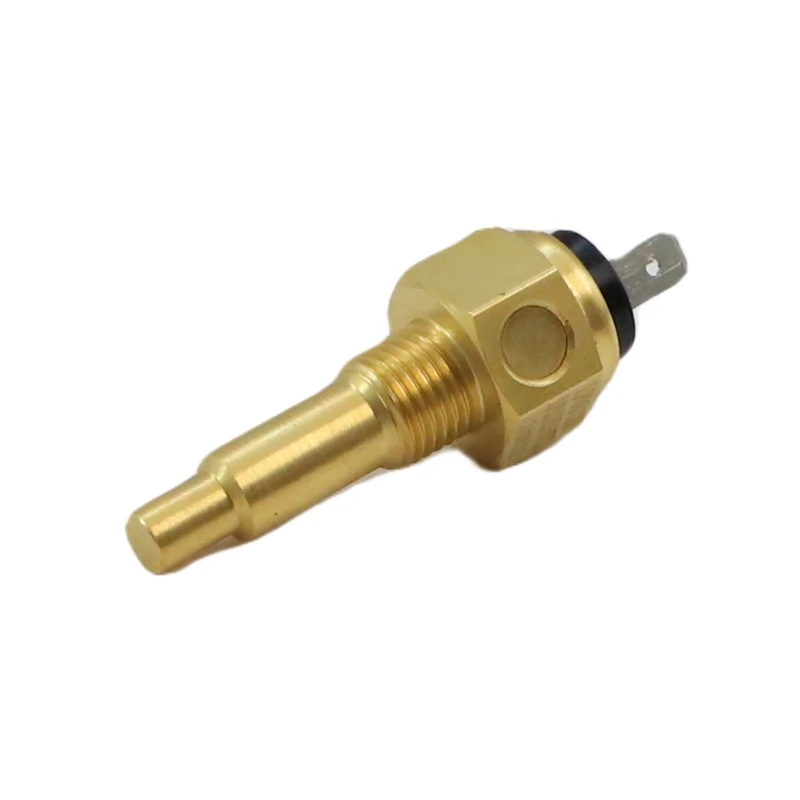
For specialized power units like the Lister Petter SA423G1 or SA427G1, using a precision-matched replacement is critical. A high-reliability LP11231WTS Lister Petter Temperature Sensor provides the stable resistance needed to eliminate phantom alerts and ensure your engine’s protection system functions correctly.
Environmental Influence on Temperature Readings
Environmental factors can significantly impact temperature readings and cause a false alarm. Sensors placed near heat sources, such as generators, radiators, or direct sunlight, often report elevated temperatures. Poor air circulation or proximity to electrical equipment can also distort readings. Technical consultants advise reviewing the sensor’s placement and ensuring it is away from external walls, doors, or machinery that may affect temperature stability. Adjusting the threshold settings to account for environmental changes helps reduce unnecessary alerts. Regularly monitoring the area for sudden temperature fluctuations supports accurate alarm diagnosis.
When to Escalate or Seek Help
Operators should escalate the issue if the alarm persists after completing the 5-minute sensor test and adjusting threshold settings. If multiple alerts occur or the temperature readings remain inconsistent, professional support is necessary. Trust the alarm if the temperature exceeds the established threshold and the environment feels hot. Otherwise, document the incident and consult a professional to prevent equipment damage.
Tip: Always keep a record of alarm events, threshold adjustments, and environmental conditions. This documentation streamlines future troubleshooting and supports effective communication with technical experts.
Quick Checklist and Next Steps for False Alarm
5-Minute Diagnostic Checklist
Use this checklist to quickly assess a high temperature alert and reduce unnecessary escalation:
Inspect the sensor and display for visible damage or error codes.
Confirm the sensor’s placement is away from heat sources, direct sunlight, and electrical equipment.
- Compare the temperature reading with a nearby device or use a manual feel test.
- Review recent changes in system configuration, calibration, or wiring.
- Reset the alarm and monitor for recurring alerts.
Graduated response protocols that begin with verification steps can prevent unnecessary escalation. Tracking patterns in alert logs helps identify recurring causes of false alarms. Implementing strong false alarm reduction strategies can cut unnecessary calls by nearly half.
When to Trust or Ignore a False Alarm
Trust the alarm if the temperature reading matches other devices and the environment feels hot. If the alert recurs after a reset or the sensor shows consistent high readings, treat the situation as genuine. Ignore the alert only if the temperature feels normal, the sensor is in a stable environment, and no other signs of overheating exist. Always document each alert, including the time, conditions, and any actions taken. This practice supports generator high temperature alarm troubleshooting and helps distinguish between a faulty sensor and actual engine overheating.Replacing a drifted unit with a high-grade genset temperature sensor from Megawatts Parts restores system integrity and prevents future phantom alarms.
Escalation and Professional Support
If the alarm persists after completing the checklist, escalate the issue. The following table outlines recommended next steps:
|
Step |
Recommendation |
|
1 |
Maintain contact with your alarm company or technical support for guidance. |
|
2 |
Schedule regular maintenance to prevent recurring temperature issues. |
|
3 |
Clarify verification procedures to avoid unnecessary dispatches. |
|
4 |
Cancel any pending dispatch if the alarm is resolved before action is taken. |
Expert tip: Experienced engineers recommend keeping detailed records of all temperature alerts and maintenance actions. This documentation streamlines diagnosing false overheating alerts and detecting false engine temperature alarms.
This troubleshooting sequence directly isolates faulty temperature sensor symptoms, helping you minimize unexpected generator downtime.A structured approach helps operators quickly identify the cause of a high temperature alarm and minimize unnecessary alert escalation. Staying calm and following the checklist ensures accurate diagnosis and reduces the risk of missing a genuine alarm. Maintaining a robust maintenance schedule with precision components from Megawatts Parts ensures your critical operations stay online without interruption.
Previous And Next
-
Previous Post:
 BLOG
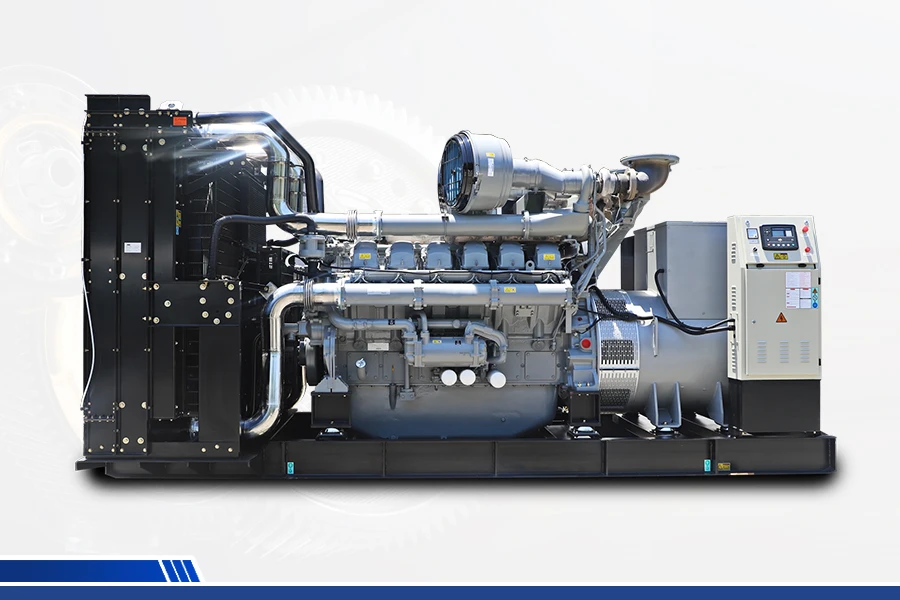
BLOG Megawatts BlogIntroducing the components of a diesel engineIntroducing the components of a diesel engine A diesel generator set is a type of internal combustion generator set and is currently one of the most widely used power generation devices in the world....
 -
Next Post:
 BLOG
Megawatts BlogCavitation & Corrosion: Why Using the Wrong Water Pump Leads to Cylinder Liner FailureSelecting the wrong water pump poses a serious threat to engine integrity. Cavitation often develops when coolant flow becomes unstable, attacking the cylinder liner surface. Cylinder Liner Cavitation...
BLOG
Megawatts BlogCavitation & Corrosion: Why Using the Wrong Water Pump Leads to Cylinder Liner FailureSelecting the wrong water pump poses a serious threat to engine integrity. Cavitation often develops when coolant flow becomes unstable, attacking the cylinder liner surface. Cylinder Liner Cavitation...
Read More
-
 BLOG
Megawatts BlogStrategic Sourcing: How to Build a Standardized Generator Sets Parts Catalog for Mixed FleetsManaging a mixed fleet of Cummins, Perkins, and Caterpillar generators often creates a hidden financial drain through inventory duplication and fragmented procurement. When different brands use differ...
BLOG
Megawatts BlogStrategic Sourcing: How to Build a Standardized Generator Sets Parts Catalog for Mixed FleetsManaging a mixed fleet of Cummins, Perkins, and Caterpillar generators often creates a hidden financial drain through inventory duplication and fragmented procurement. When different brands use differ... -
 BLOG
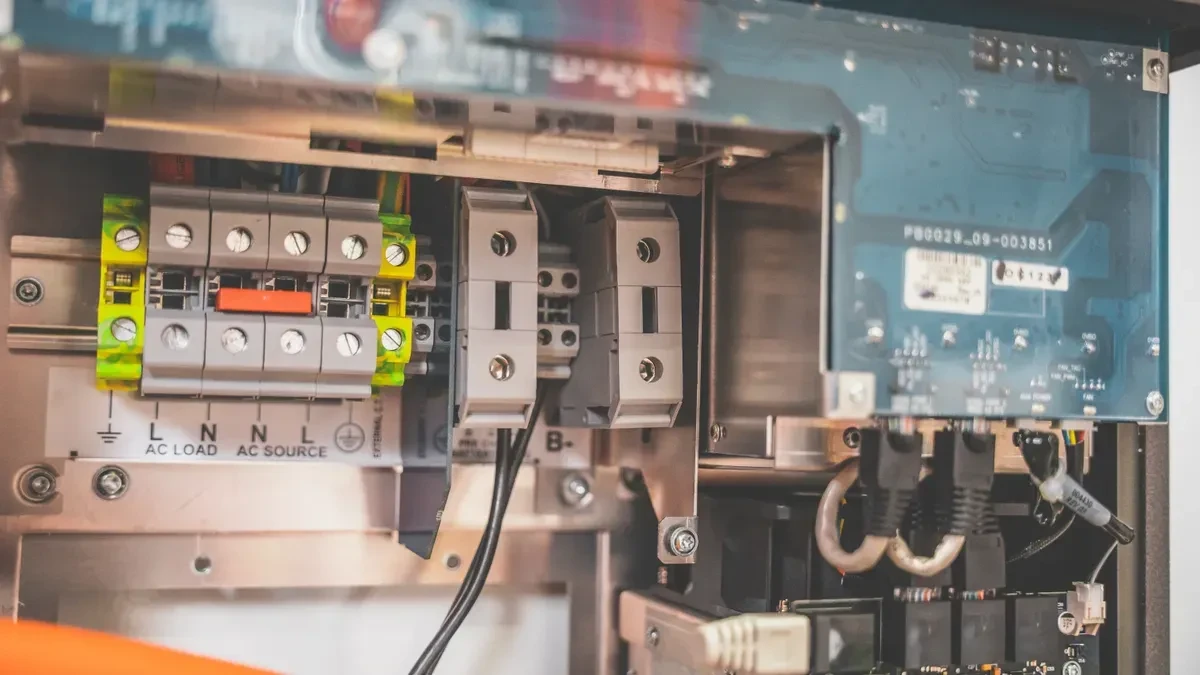
Megawatts BlogDiesel Generator Won't Crank: A Step-by-Step Electrical Diagnostic Checklist for MechanicsWhen a diesel generator won't crank, check the electrical system first. Do not chase fuel or mechanical theories yet. Low battery voltage and corroded connections cause most no-start condition calls....
BLOG
Megawatts BlogDiesel Generator Won't Crank: A Step-by-Step Electrical Diagnostic Checklist for MechanicsWhen a diesel generator won't crank, check the electrical system first. Do not chase fuel or mechanical theories yet. Low battery voltage and corroded connections cause most no-start condition calls.... -
 BLOG
Megawatts BlogMagnetic Coil Degradation: Why Your Diesel Engine Stop Solenoid Fails Under Extreme HeatExtreme heat is the primary enemy of a diesel engine stop solenoid. The heat breaks down the electrical insulation inside the magnetic coil. This degradation raises resistance and creates short circui...
BLOG
Megawatts BlogMagnetic Coil Degradation: Why Your Diesel Engine Stop Solenoid Fails Under Extreme HeatExtreme heat is the primary enemy of a diesel engine stop solenoid. The heat breaks down the electrical insulation inside the magnetic coil. This degradation raises resistance and creates short circui... -
 BLOG
Megawatts BlogThe Hidden Cost of Expired Inventory: Shelf Life and Proper Storage of Rubber Gasket Seal KitsA gasket seal kit sits untouched for five years. You paid for it. Now you pay to dispose of it. When a failure occurs, you pay a premium for emergency replacement. These hidden costs accumulate silent...
BLOG
Megawatts BlogThe Hidden Cost of Expired Inventory: Shelf Life and Proper Storage of Rubber Gasket Seal KitsA gasket seal kit sits untouched for five years. You paid for it. Now you pay to dispose of it. When a failure occurs, you pay a premium for emergency replacement. These hidden costs accumulate silent...
Subscribe to enjoy 10% off
Stay informed about new products and sales

-
INFORMATION
Contact Us
-
CHINA SALES OFFICE: No. 2-11, No. 8, Gaotai Road, Gaishan Investment Zone, Cangshan District, Fuzhou, Fujian
-
SAUDI ARABIA FACTORY: 7264 Shakra, Al Faisaliyyah, REFB3035, 3035, Riyadh 12883
-
COLOMBIA SALES OFFICE: 92-32 26th Street, 03-118, Bogota
-
NIGERIA FACTORY: Plot 5 Chivita Avenue Ajao Estate Isolo Lagos
-
Email:sales@megawattsparts.com
Follow Us


Copyright © 2025 Megawatts All Rights Reserved.



Select Previous Button or Search Directly on Search Bar!
Shop All
 English
Currency: <{ pagedata.current_currency }>(<{ pagedata.current_currency_code }>)
Are you in the right place?

You agree to MegaWatts.com's Terms of Use and Privacy Policy by subscribing. You may receive emails with useful tips, promotions, and offerings.
No, thanks. I'd rather pay full price.